Viewing domain information
To view basic information about your domain, such as payment and registration dates, follow these steps:
- Log in to the Customer Portal.
If you do not know how to log in to the Customer Portal, please see this article.
- On the menu bar, click , and then click :
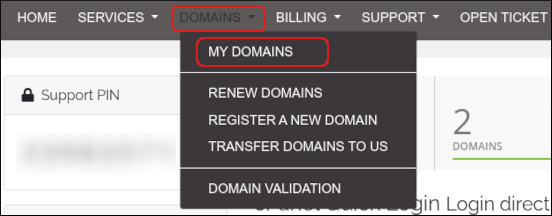
-
Click the domain you want to configure.
You can filter the list of domains to only display active, expired, cancelled, or expiring domains. To do this, in the View sidebar, click the type of domain status you want to view:
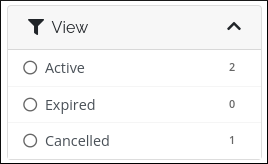
-
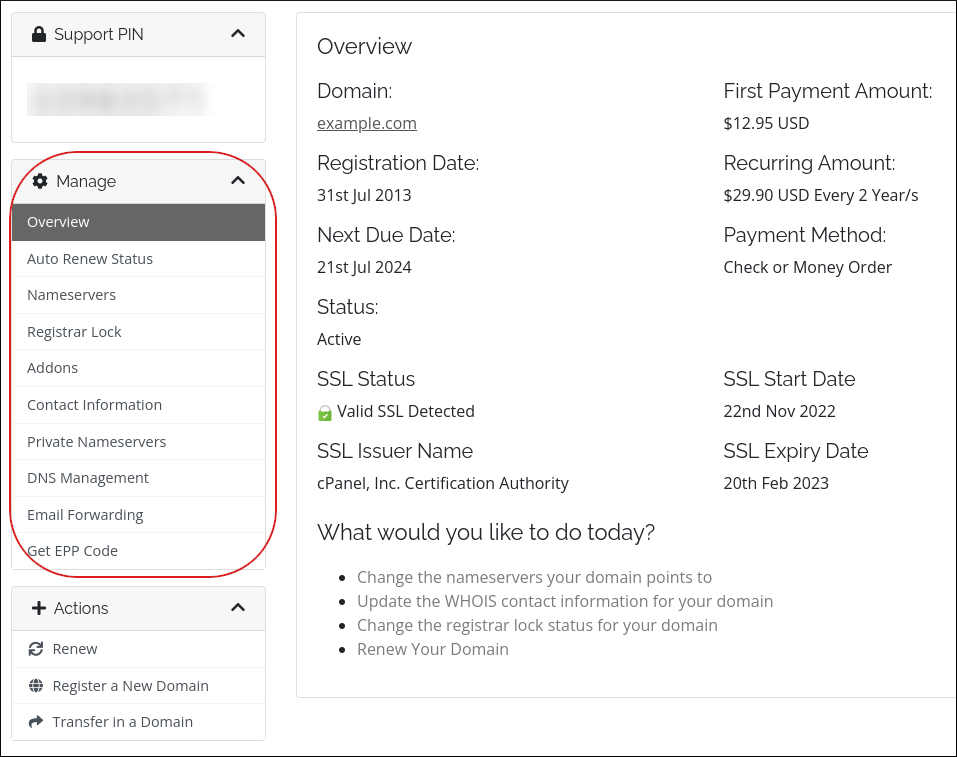
Information about your domain appears. The Manage sidebar lists management actions you can do for the domain:
Viewing and changing the name servers for a domain
To change the name servers for a domain, or to just see the current name servers set for a domain, follow these steps:
- Log in to the Customer Portal.
If you do not know how to log in to the Customer Portal, please see this article.
- On the menu bar, click , and then click :
-
Click the domain you want to configure.
You can filter the list of domains to only display active, expired, cancelled, or expiring domains. To do this, in the View sidebar, click the type of domain status you want to view:
-
Click Manage Nameservers:
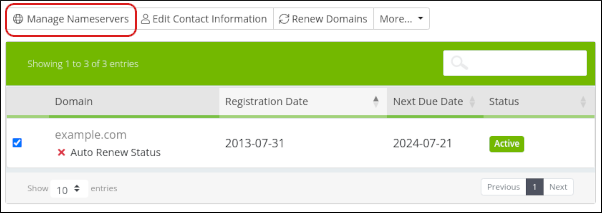
-
To use the default name servers, click Use default nameservers.
To manage DNS settings using the Dollar OVPN Customer Portal, you must use the default name servers. -
To use custom name servers, click Use custom nameservers, and then type the name server names in the text boxes.
If you use custom name servers, you cannot manage DNS settings using the Dollar OVPN Customer Portal. -
Click .
DNS changes can take up to 24 hours to fully propagate.
Setting the registrar lock for a domain
For security reasons, you should keep your domain locked to prevent unauthorized transfers. To do this, follow these steps:
- Log in to the Customer Portal.
If you do not know how to log in to the Customer Portal, please see this article.
- On the menu bar, click , and then click :
-
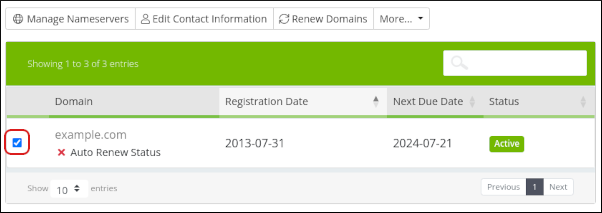
Select the check box next to the domain you want to configure:
-
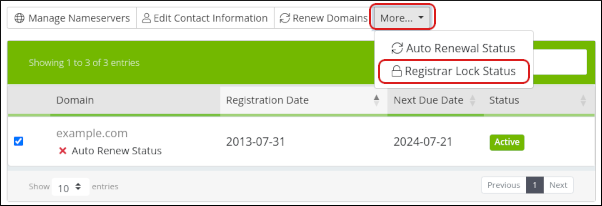
Click More, and then click Registrar Lock Status:
-
The renewal status for the domain appears:
- To enable the registrar lock, click .
- Although it is not recommended, you can disable the lock. To do this, click .